Many businesses invest in websites, ads, and social media but never truly understand what visitors are doing once they land on their site.
Are people reading your content?
Are they leaving immediately?
Are they clicking your call-to-action?
Are they converting?
Google Analytics helps answer these questions. When used correctly, it turns guesswork into data-driven decisions.
What Is Google Analytics?
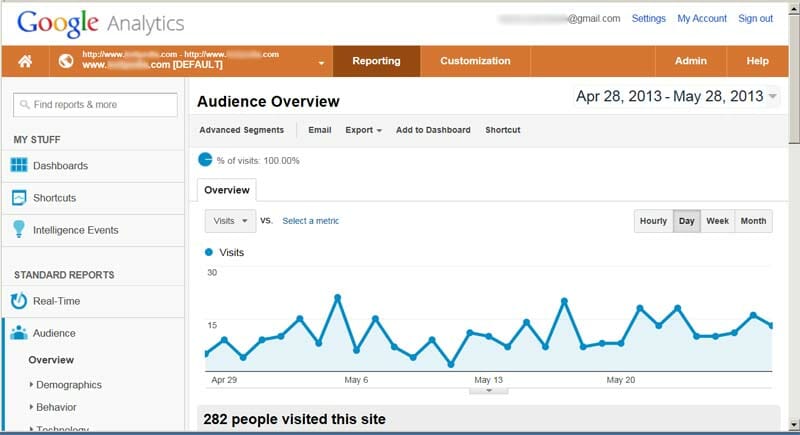
Google Analytics is a free tool that tracks how users interact with your website.
It shows you:
- How many people visit your site
- Where they come from
- What pages they view
- How long they stay
- Where they leave
- Whether they complete key actions
It helps you understand real user behavior.
1. Understand the Key Metrics That Matter
You do not need to analyze everything. Focus on the metrics that impact business decisions.
1. Users and Sessions
This shows how many people are visiting your website.
If traffic is low, your marketing may need improvement.
If traffic is high but conversions are low, your website may need optimization.
2. Traffic Sources
This tells you where visitors are coming from:
- Organic Search
- Social Media
- Direct Traffic
- Paid Ads
- Referral Websites
It helps you identify which marketing channel is performing best.
3. Bounce Rate
Bounce rate shows the percentage of users who leave after viewing only one page.
A high bounce rate may indicate:
- Slow loading speed
- Weak content
- Poor design
- Misleading traffic sources
Lower bounce rate usually means better engagement.
4. Average Engagement Time
This tells you how long visitors stay on your website.
If users leave within seconds, there may be a content or user experience issue.
If they stay longer, your content is likely engaging and relevant.
5. Conversions
Conversions are the most important metric.
These include actions such as:
- Contact form submissions
- Product purchases
- Newsletter signups
- Booking requests
Tracking conversions shows whether your website is generating real business results.
2. Set Up Conversion Tracking
Many businesses overlook this step.
Without setting up goals, Google Analytics cannot measure meaningful success.
Examples of goals include:
- Visiting a thank-you page
- Clicking a specific button
- Submitting a form
- Completing a purchase
Clear goal tracking helps measure actual performance.
3. Analyze User Behavior Flow

Google Analytics shows how users move through your website.
You can see:
- Which page they land on
- What pages they visit next
- Where they exit
If users drop off before completing a purchase, you may need to improve that page.
If blog visitors never visit service pages, internal linking may need improvement.
4. Use Data to Improve Your Website
Analytics should guide action.
You can use the data to:
- Improve underperforming pages
- Optimize page speed
- Adjust marketing strategies
- Improve landing pages
- Focus on high-performing content
Smart businesses improve continuously using data insights.
Common Mistakes to Avoid
- Only checking traffic numbers
- Ignoring conversion tracking
- Reviewing analytics too rarely
- Making design changes without data
Traffic alone does not equal success. Engagement and conversions matter more.
Conclusion
Google Analytics helps you understand what your visitors are actually doing not what you assume they are doing.
When you track traffic, engagement, behavior, and conversions, you move from guessing to growing.
In today’s competitive digital environment, data-driven businesses consistently outperform those who rely on assumptions.